README.md (2342 bytes)
1 # sbm for Firefox and Chrome 2 3 Your [sbm](https://github.com/equwal/sbm) bookmarks in the browser. 4 5 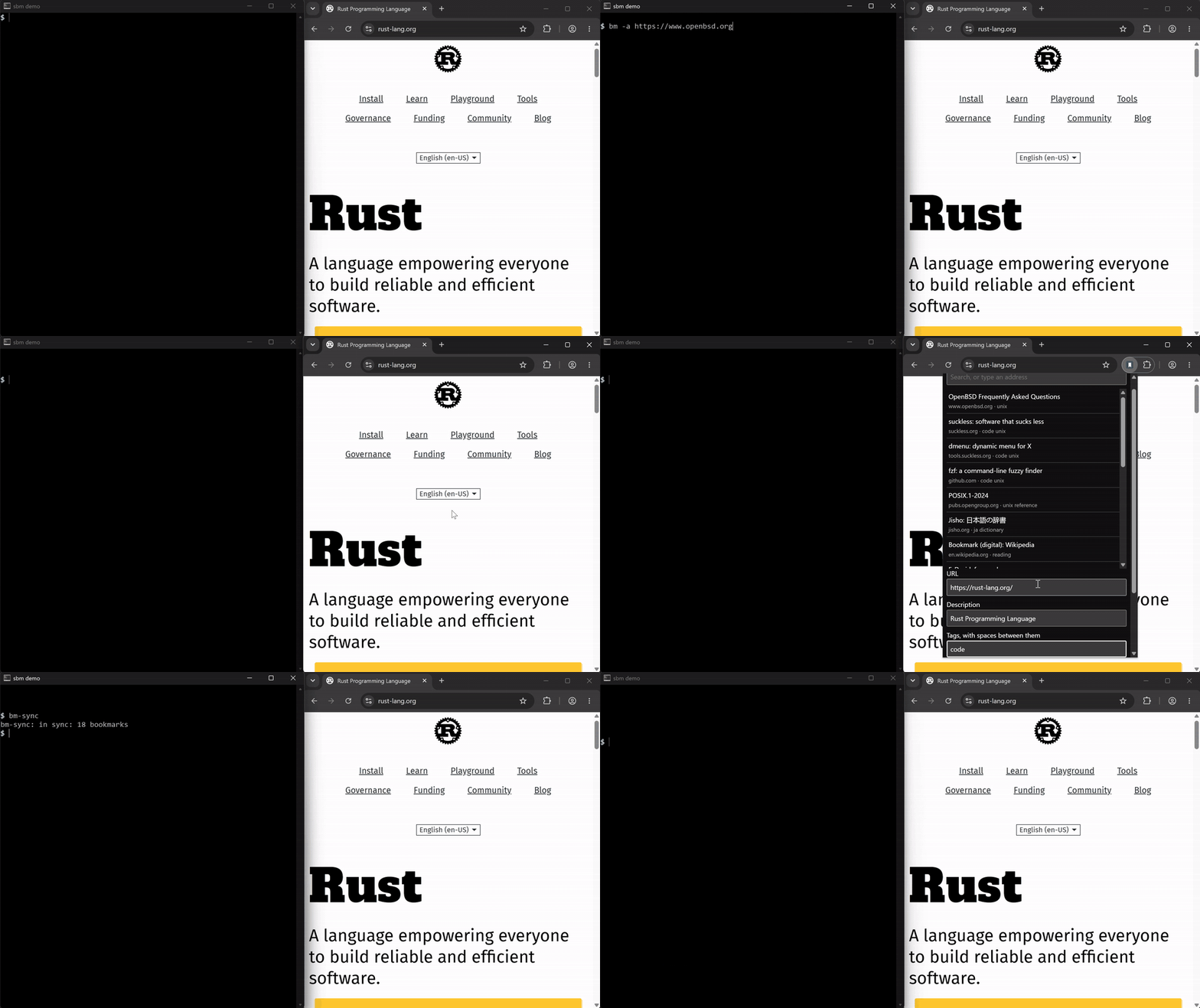 6 7 ([MP4](https://github.com/equwal/sbm-sync/raw/master/demo/sbm-demo.mp4), 80 seconds.) 8 9 - **Search as you type** in the popup (Alt+Shift+M), with the fuzzy match of 10 fzf. Enter opens the first match. Text that is no bookmark opens as an 11 address, or as a web search, as in bm. 12 - **Address bar:** type `bm`, a space, then words. 13 - **Add this page** with a description and tags. 14 - **Sync** with bm on your computers, the 15 [sbm app for Android](https://github.com/equwal/sbm-android) and your other 16 browsers, through an [sbm-sync](https://github.com/equwal/sbm-sync) server. 17 18 Without an account, the bookmarks stay in the browser. With an account, the 19 add-on syncs when it starts, when you open the popup, after you add a 20 bookmark, and every 30 minutes. 21 22 The bookmarks are an sbm file: one bookmark per line, 23 `URL<tab>description<tab>tags`. 24 25 ## Sync 26 27 The add-on uses https://sbm.subread.space unless you give another server in 28 the options. Create an account there: it is free for 30 days, then $3 a month 29 or $30 a year. Or [run your own server](https://github.com/equwal/sbm-sync): 30 it is free software. 31 32 ## Permissions 33 34 - `storage`: keep the bookmarks and the sign-in token. 35 - `activeTab`: read the address and the title of the page when you click 36 "Add this page". 37 - `alarms`: sync every 30 minutes. 38 - Access to sbm.subread.space, or to the server that you choose: sync. 39 40 Firefox also asks you, at sign-in, to let the add-on send your bookmarks, 41 your email address and your password to the server. The 42 [privacy policy](https://sbm.subread.space/privacy) tells what the server 43 keeps. 44 45 ## Develop 46 47 The add-on needs no build: load this directory as an unpacked extension 48 (Chrome: chrome://extensions, developer mode; Firefox: about:debugging). 49 50 npm install 51 npm test # property tests of the file format and the search 52 npm run lint # the checks of addons.mozilla.org 53 npm run build # the zip for the stores, in web-ext-artifacts/ 54 55 ## License 56 57 AGPL-3.0. If sbm is useful to you, you can support it on 58 [Ko-fi](https://ko-fi.com/truex).